
1.3 KiB
1.3 KiB
ohmyzsh-theme-passion
An oh-my-zsh theme.
Introduction

- real time prompt.
- command running time cost prompt.
- command running error hint.
Usage
Basic ZSH Theme
- clone repo:
git clone https://github.com/ChesterYue/ohmyzsh-theme-passion; - copy theme:
cp ./ohmyzsh-theme-passion/passion.zsh-theme ~/.oh-my-zsh/themes/passion.zsh-theme; - modify rc: open
~/.zshrcfindZSH_THEMEedit toZSH_THEME="passion"; - execute rc:
source ~./zshrc;
REF: Overriding and adding themes;
Extra iTerm Preference
Color
-
iTerm2: settings -> Profiles -> Colors -> Color Presets -> import
./passion.itermcolors: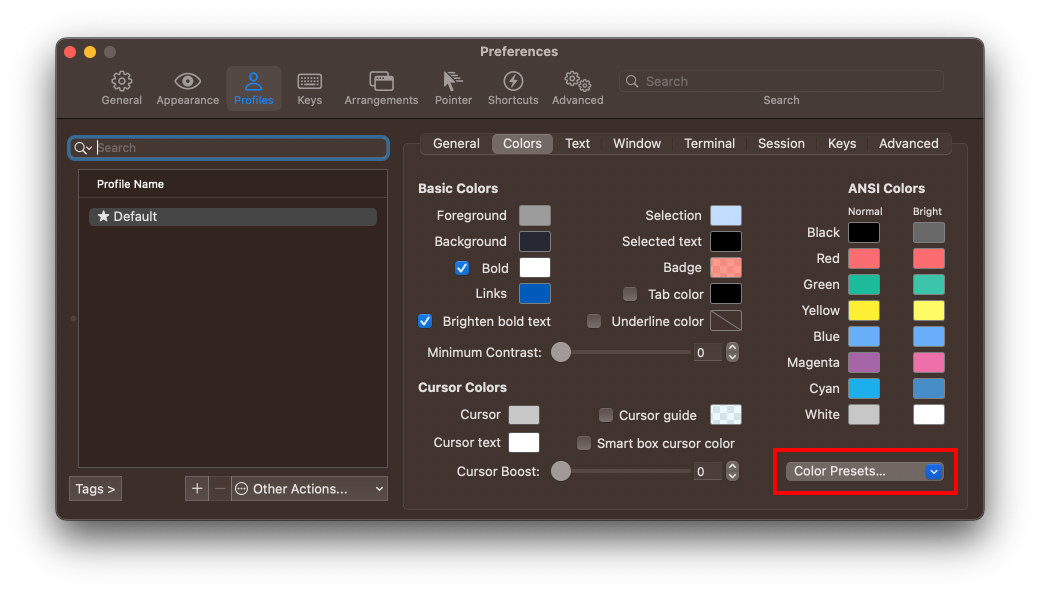
-
alternate terminal: try Alternate terminal installation and configuration;

Status Bar
- iTerm2: settings -> Appearance && settings -> Profiles -> Session -> Configure Status Bar:
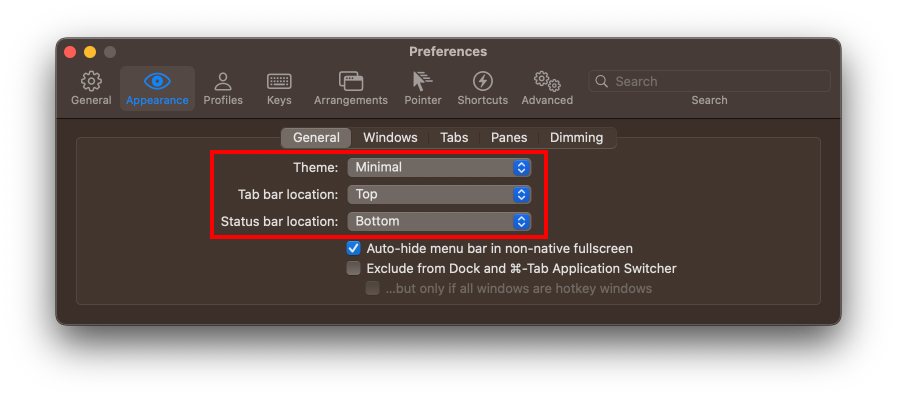
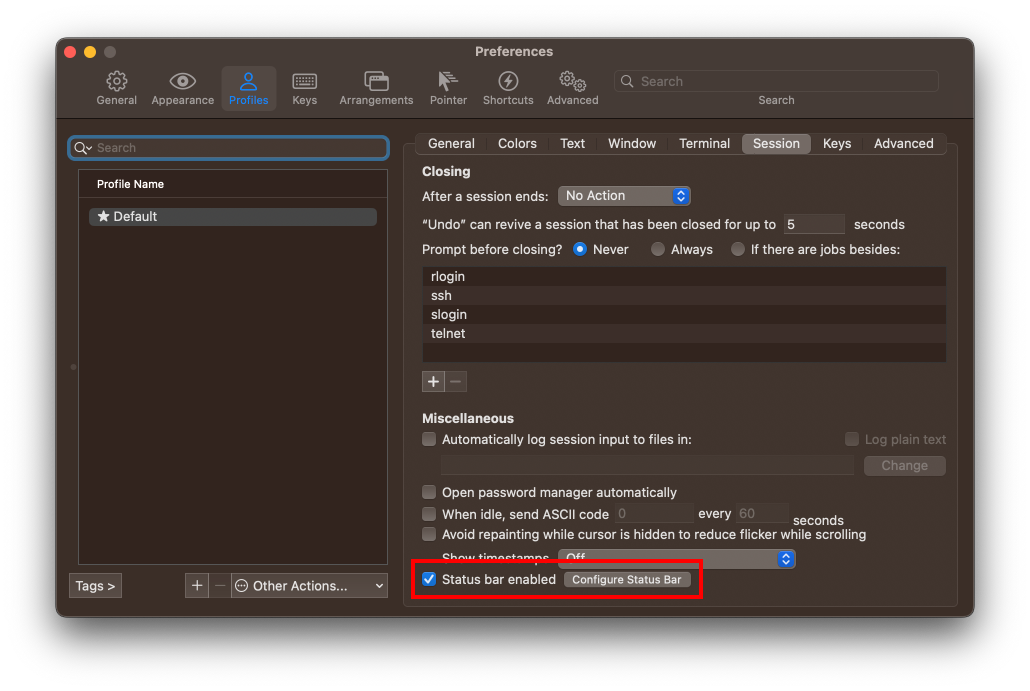


Trouble Shooting
macOS
passion.zsh-theme depends on cmd gdate to get current time in milliseconds which is not installed by default in macOS.
to get gdate by running brew install coreutils;